
KrishnaDas Cash On Delivery Surcharge for WooCommerce
WooCommerce Cash on Delivery Fee Plugin
Add Cash on Delivery (COD) Fees to WooCommerce Orders
Automatically add a fixed COD fee when customers choose Cash on Delivery during checkout.
KrishnaDas Cash On Delivery Surcharge for WooCommerce allows store owners to add a fixed fee when customers select the Cash on Delivery payment method during checkout.
The fee is automatically added to the order total and displayed throughout the WooCommerce order process.
Perfect for stores that want to charge an additional handling or processing fee for Cash on Delivery orders.
Key Benefits:-
✔ Fixed COD Fee ✔ Custom Fee Label ✔ Optional Taxable Fee ✔ HPOS Compatible ✔ Checkout Auto Refresh ✔ No Coding Required
Features
- Add a fixed COD fee to WooCommerce orders
- Fee applies only when Cash on Delivery is selected
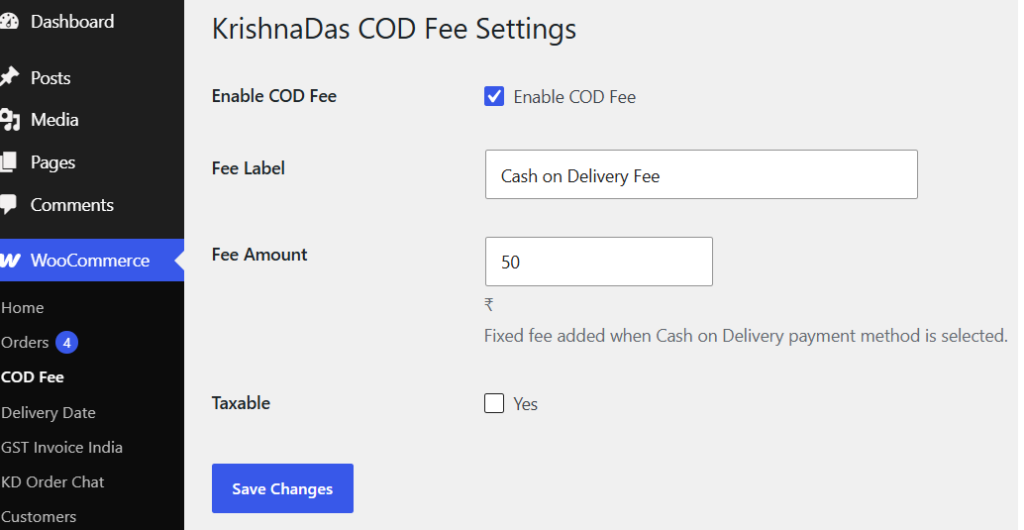
- Custom fee label
- Custom fee amount
- Optional taxable fee support
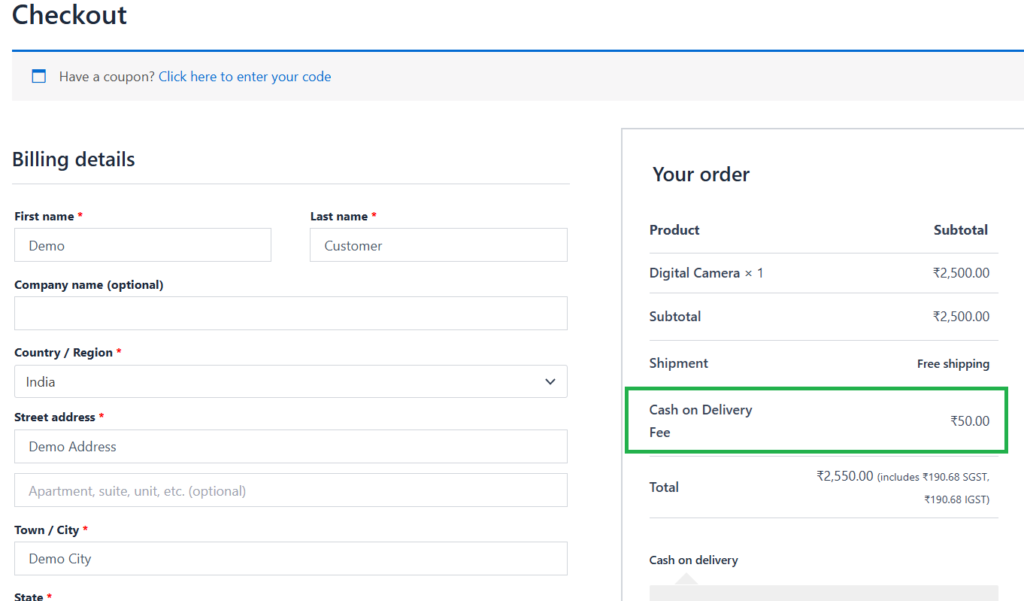
- Automatic checkout total updates
Fee displayed in:
- Checkout totals
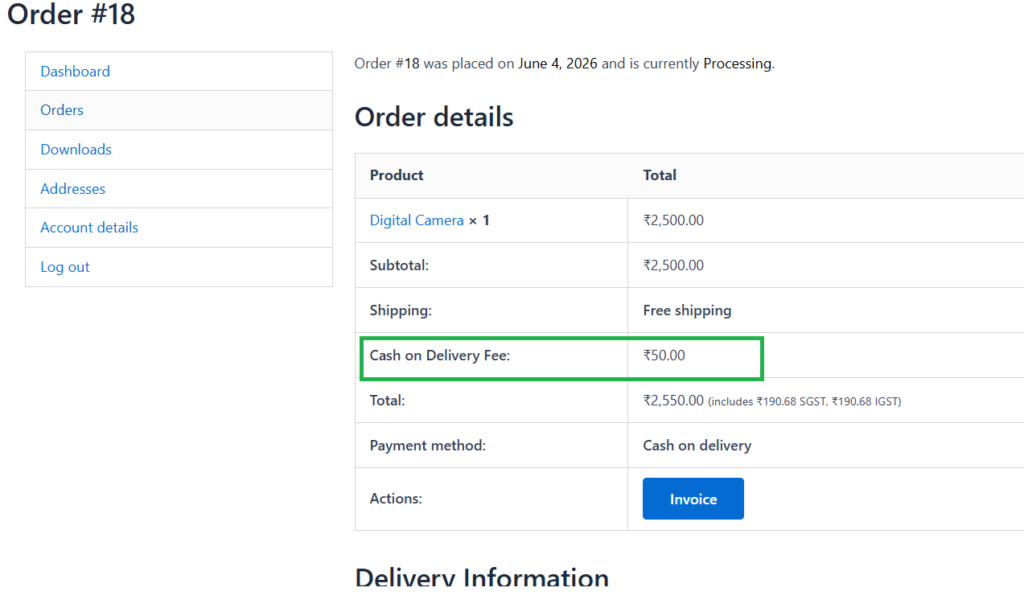
- Customer order details
- Admin order details
- WooCommerce emails
- HPOS compatible
- Lightweight and easy to configure
- WordPress coding standards followed
- Translation ready
Screenshots
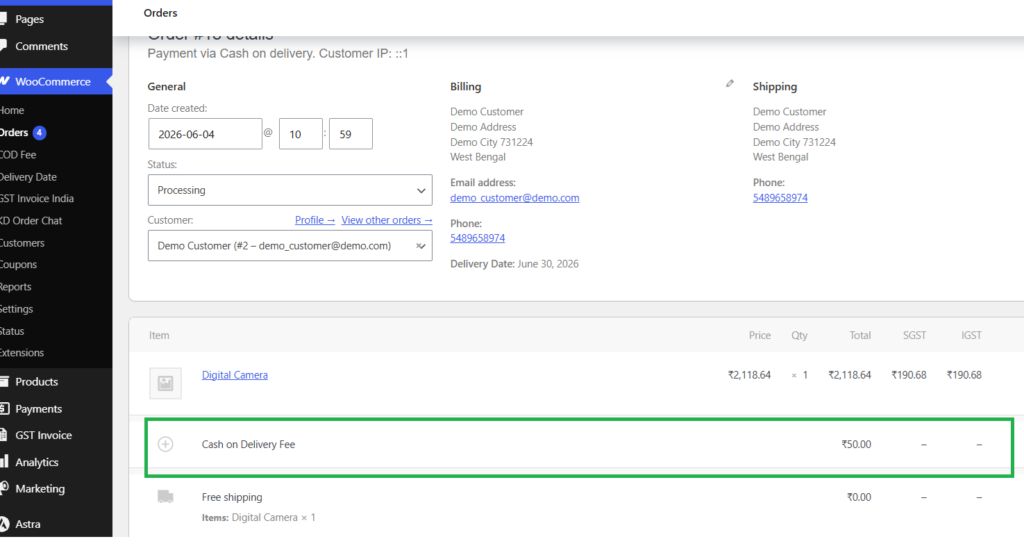
How it Works
- Upload the plugin folder to
/wp-content/plugins/
2. Activate the plugin through the WordPress Plugins screen
3. Go to WooCommerce → COD Fee
4. Configure fee settings
5. Save changes
Want to Start Add Cash On Delivery(COD) Surcharge in your customer orders ?
Explore More KrishnaDas WordPress Plugins
Frequently Asked Questions
Does this plugin require WooCommerce?
-Yes. WooCommerce must be installed and activated.
When is the COD fee added?
The fee is added only when the customer selects the Cash on Delivery payment method during checkout.
Can I change the fee amount?
Yes. You can configure the fee amount from the plugin settings page.
Can I change the fee label?
Yes. You can customize the fee label displayed to customers.
Does the fee appear in admin orders?
Yes. The fee is visible in WooCommerce order details for administrators.
Does it support HPOS?
Yes. The plugin is compatible with WooCommerce High-Performance Order Storage (HPOS).